

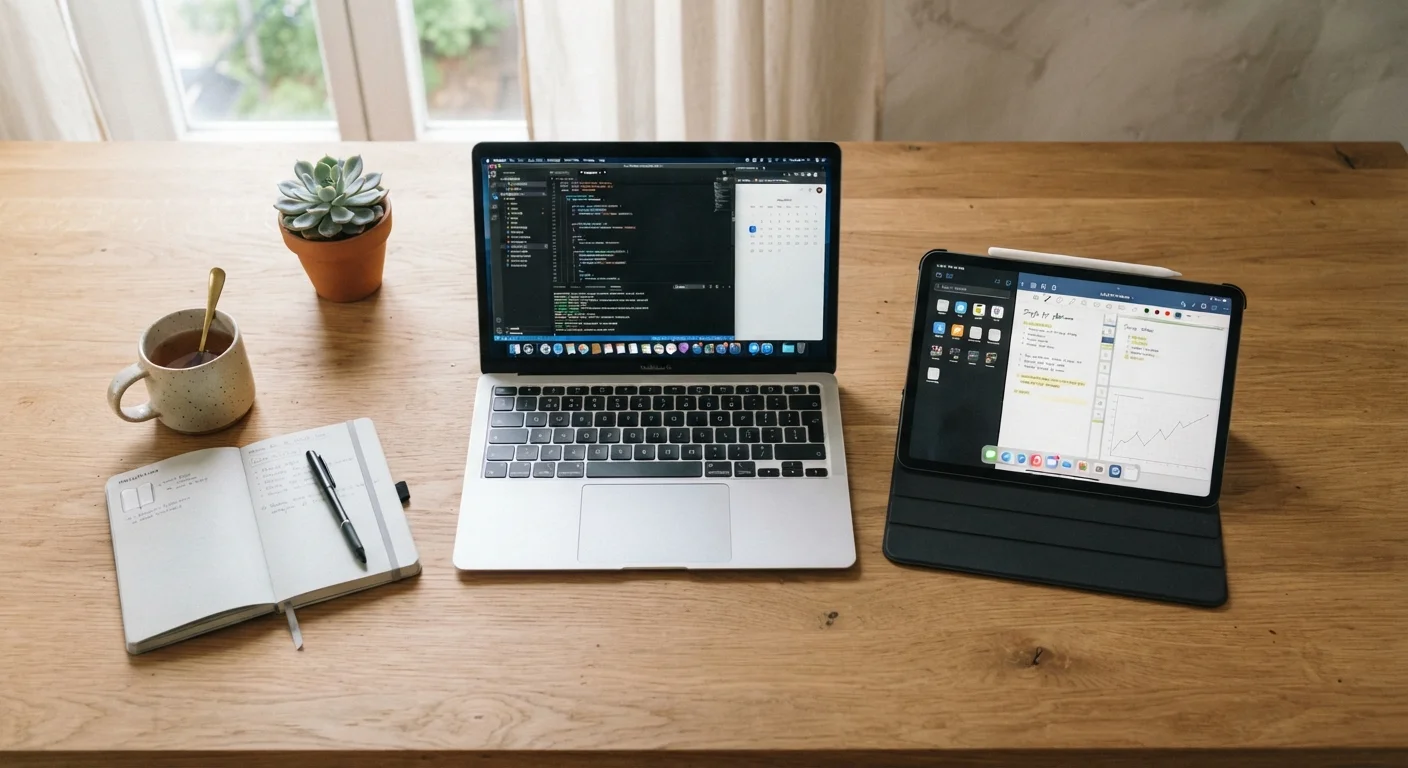
Key Takeaways
- Tablets excel at media consumption, reading, and casual browsing but have limited multitasking and file management.
- Laptops handle demanding productivity tasks, full desktop apps, and complex workflows that tablets struggle with.
- A physical keyboard is a meaningful dividing line — most power users find typing on glass frustrating over long sessions.
- Tablets typically offer longer battery life and are easier to carry; laptops offer more connectivity ports and software depth.
- Some 2-in-1 convertible devices blur the line, but they involve their own trade-offs worth understanding before committing.
Option A
Tablet
The portable, touch-first companion for consumption and casual tasks.
Best for: Readers, media consumers, students, and anyone who wants a lightweight screen they can hold with one hand.
Option B
Laptop
The full-featured workhorse built for productivity and versatility.
Best for: Remote workers, students writing papers, and anyone who regularly creates, codes, or multitasks across applications.
If you mainly stream, read, and browse the web
Tablet
Tablets are purpose-built for media consumption. Their touch interfaces, lightweight builds, and long battery life make passive use comfortable and intuitive.
If you write, code, or work with complex files daily
Laptop
A physical keyboard, a full operating system, and robust file management make laptops far more capable for sustained productivity work.
If you're a student who needs both notes and content
Laptop
Essay writing, research, and juggling multiple apps simultaneously favor a laptop's software depth and keyboard-first design.
If you want a device primarily for travel and light tasks
Tablet
Tablets slip into carry-on bags easily, clear security checkpoints faster, and handle email, maps, and entertainment without bulk.
If you're torn and do a mix of both work and leisure
Laptop
A laptop can do everything a tablet does (with a browser or streaming app) but not vice versa — it's the more versatile default for mixed use.
What Each Device Is Actually Built to Do
Tablets and laptops have converged visually — both have slim profiles, bright screens, and wireless connectivity — but they're engineered around fundamentally different assumptions about how you'll use them.
A tablet is built around touch interaction. Its operating system (typically iPadOS or Android) is optimized for tapping, swiping, and scrolling. Apps are generally mobile-style: streamlined, single-purpose, and fast to launch. This makes tablets feel effortless for reading, watching video, video calling, and casual browsing. The trade-off is that file management, background multitasking, and accessing full desktop-class software can feel constrained or outright impossible depending on the platform.
A laptop assumes you'll be typing frequently, managing files across folders, and running software that needs real processing headroom. Whether it runs Windows, macOS, or ChromeOS, a laptop's operating system is built for a keyboard-and-trackpad workflow. That foundation makes it more capable for word processing, spreadsheets, coding, video editing, and anything involving multiple apps open simultaneously.
If you're weighing the laptop side of the equation further, our guide on matching a laptop to your actual tasks breaks down which specs matter for different user profiles.
Head-to-Head: How They Compare Across What Matters
Rather than listing specs in isolation, the most useful comparison looks at the dimensions that actually affect daily experience.
| Criterion | Tablet | Laptop |
|---|---|---|
| Primary input method | Touchscreen | Physical keyboard & trackpad |
| Portability | Lighter, thinner, easier to hold | Portable but bulkier |
| Battery life | Typically 10–14 hours | Typically 6–12 hours |
| Software depth | Mobile/touch apps | Full desktop applications |
| Multitasking | Limited split-screen only | Full windowed multitasking |
| File management | Simplified, often app-siloed | Full folder-based file system |
| Connectivity ports | Usually one port | Multiple ports (USB, HDMI, etc.) |
| Ideal for | Consuming, reading, casual use | Creating, writing, working |
One area worth calling out: connectivity ports. Most tablets have a single charging port and rely on Bluetooth or Wi-Fi for everything else. Laptops typically offer a broader range of physical connections — something that matters if you plug into monitors, external drives, or presentation displays regularly. For a full breakdown of what each port type actually does, see our guide to laptop ports explained in plain English.
The Keyboard Question Is the Real Dividing Line
More than any spec, the keyboard question separates tablet users from laptop users. If you write long emails, draft documents, or enter data regularly, typing on a glass screen for extended sessions is genuinely fatiguing — autocorrect errors accumulate, and the lack of tactile feedback slows most people down measurably.
Bluetooth keyboards and keyboard cases can close this gap for tablet users, but they add cost, weight, and one more thing to charge. At that point, you're approximating a laptop — and it's worth asking whether the original device was the right choice.
When a Keyboard Case Changes the Math
Some tablets — particularly higher-end models — support first-party keyboard attachments that bring the experience meaningfully closer to a laptop. These accessories can make a tablet a viable productivity tool for lighter workloads, but they typically add $100–$300 or more to the total cost. Factor that into any direct price comparison with an entry-level laptop before deciding.
If the idea of a device that does both appeals to you, it's worth reading our honest look at 2-in-1 convertible laptops — they solve the form-factor dilemma but introduce their own compromises around weight, hinge durability, and software flexibility.
How to Actually Decide
The most useful question isn't "which device is better" — it's what do you do most, and how often? Run through a typical week: Are you consuming content or creating it? Do you type for more than 30 minutes a day? Do you need software that only runs on a desktop operating system?
~75%
Tablet use attributed to media consumption
Industry research consistently shows the majority of tablet screen time is spent on streaming, browsing, and reading rather than productivity tasks.
2–3 lbs
Typical laptop weight range
Most mainstream laptops fall between 2.5 and 4.5 lbs; most tablets weigh under 1.5 lbs, a meaningful difference for daily carry.
1 port
Typical tablet connectivity
The majority of consumer tablets ship with a single USB-C or proprietary charging port, versus the multi-port designs common on laptops.
If your answers lean toward consumption, portability, and simplicity, a tablet likely fits your habits. If they lean toward output — writing, building, managing, designing — a laptop will serve you better without workarounds.
For readers considering the broader device ecosystem, our complete owner's roadmap for phones and tablets covers how to think through setup, maintenance, and long-term ownership once you've made your choice. And if a laptop feels right but you're also weighing a desktop setup, our comparison of laptop vs. desktop walks through that decision with the same practical framing.