

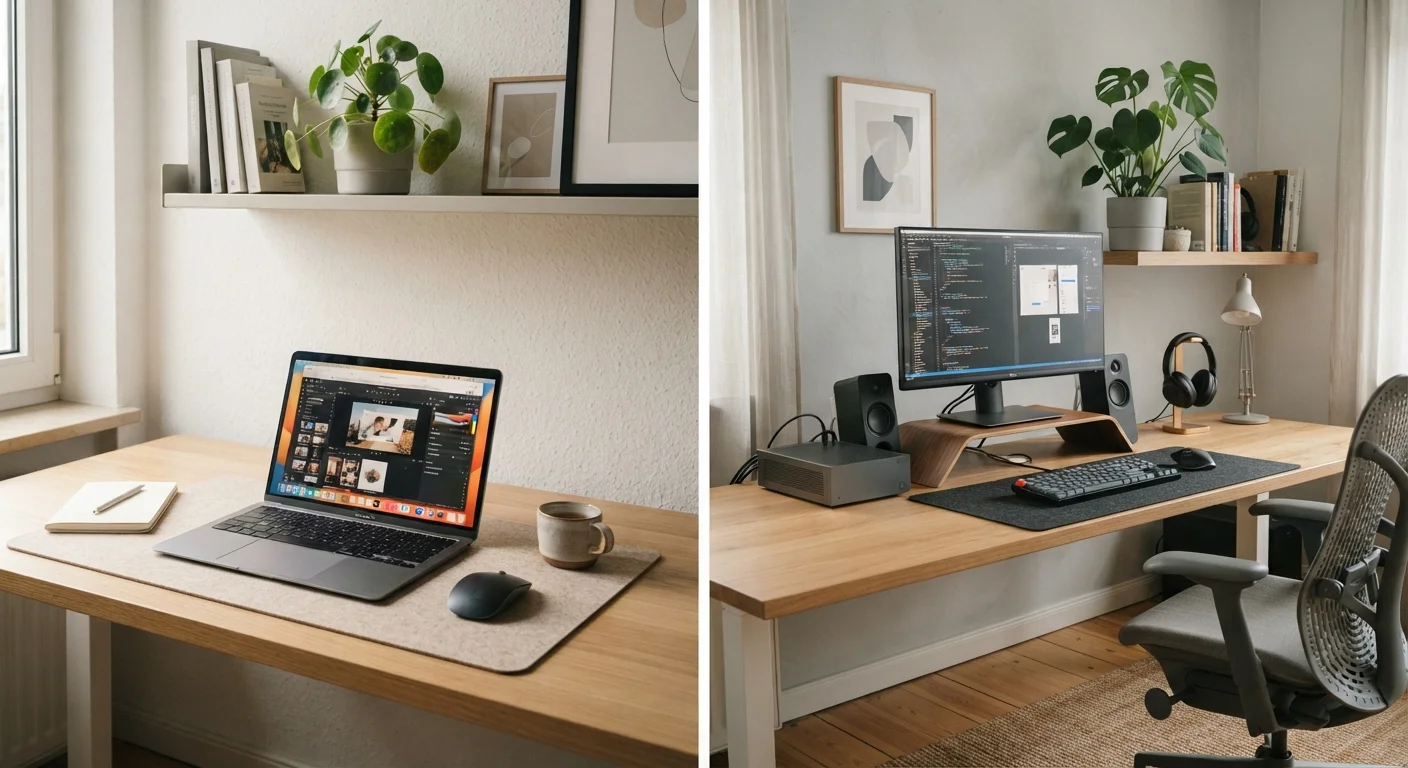
Key Takeaways
- Laptops prioritize portability; desktops prioritize raw performance and long-term upgradability.
- Desktops typically deliver more computing power per dollar spent compared to equivalently priced laptops.
- Laptops are the practical choice for anyone who regularly works or studies away from home.
- Desktop components — RAM, storage, and graphics cards — can often be upgraded individually over time.
- Your workspace size, lifestyle, and primary tasks matter more than specs alone when choosing a form factor.
Option A
Laptop
The flexible, go-anywhere computing solution.
Best for: Anyone who works, studies, or creates content in multiple locations or needs computing on the move.
Option B
Desktop
The stationary powerhouse built for serious performance.
Best for: Users who need maximum performance, upgradability, and comfort from a fixed, dedicated workspace.
If you move between locations regularly for work or study
Laptop
A laptop lets you stay productive whether you're at home, a coffee shop, a library, or traveling — no external power or peripherals required.
If you do intensive creative or technical work from one location
Desktop
Desktops handle demanding workloads like video editing, 3D rendering, and data processing more cost-effectively and stay cooler under sustained load.
If you're on a tight budget and need maximum performance
Desktop
For the same dollar amount, desktops typically offer significantly more processing power, storage, and display quality than laptops.
If you have limited desk space or live in a small home
Laptop
A laptop eliminates the need for a dedicated desk setup, separate monitor, keyboard, and mouse — it's an all-in-one that packs away easily.
If you plan to keep and use your computer for five or more years
Desktop
Most desktops allow component upgrades — adding RAM, swapping storage, or installing a newer GPU — which can extend useful life without replacing the entire machine.
The Core Trade-Off: Portability vs. Power
The laptop vs. desktop decision ultimately comes down to one central question: do you need your computer to move with you, or does it stay in one place? Both form factors can handle everyday computing tasks like browsing, email, video calls, and document editing. The differences emerge at the edges — in price efficiency, long-term flexibility, and how much computing muscle you actually need.
Laptops combine the processor, display, battery, keyboard, and trackpad into a single portable unit. That convenience comes with engineering compromises. Components are packed tightly, which limits cooling and can throttle performance under sustained heavy workloads. Desktops, by contrast, sit in a case with room for larger components, better airflow, and far more expansion options.
If you're weighing other mobile form factors too, it's worth reading our comparison of tablet vs. laptop trade-offs before settling on a direction.
| Criterion | Laptop | Desktop |
|---|---|---|
| Portability | Fully portable, battery-powered | Stationary, requires outlet |
| Performance per dollar | Lower at equivalent price | Higher at equivalent price |
| Upgradability | Limited; often RAM and storage only | High; CPU, GPU, RAM, storage |
| Display | Built-in; typically 13–16 inches | External monitor; any size |
| Ergonomics | Compromised for long sessions | Fully customizable workspace |
| Space required | Minimal; no dedicated desk needed | Dedicated desk and setup required |
| Cooling efficiency | Limited by compact design | Superior; larger airflow and fans |
| Setup complexity | Simple; open and use | Requires peripherals and cables |
Where Desktops Have a Clear Advantage
Performance per dollar is the desktop's strongest argument. A desktop at a given price point will almost always outperform a laptop at the same price. The reason is straightforward: manufacturers don't have to engineer components to be thin, light, or battery-efficient. Larger processors, full-size graphics cards, and standard memory slots all contribute to stronger raw performance.
Upgradability is another significant advantage. When a laptop's RAM or storage becomes inadequate, the entire machine often needs replacing. Most desktops allow individual component upgrades — you can add a second storage drive, expand memory, or install a more capable graphics card without touching the rest of the system. This can meaningfully extend the useful life of the machine.
~3–4 yrs
Average laptop replacement cycle for US consumers
Industry analysts have observed that US consumers tend to replace laptops every three to four years, compared to five or more years for desktop systems.
20–40%
Typical performance gap vs. equivalent-priced laptop
Hardware review outlets consistently find that desktop configurations deliver roughly 20–40% more processing headroom than laptops at similar price points.
60%+
US adults who primarily use a laptop as their main computer
Pew Research Center data has shown a majority of American adults rely on laptops as their primary personal computing device.
Desktops also tend to offer a more ergonomic working environment. With a full-size keyboard, a mouse, and a monitor positioned at eye level, extended work sessions are generally more comfortable than hunching over a laptop screen.
Where Laptops Make More Practical Sense
For anyone whose computing needs span more than one location, a laptop is the practical default. Students moving between home and campus, remote workers using coffee shops or co-working spaces, and professionals who travel regularly all benefit from having their full computing environment in a bag.
Portability also matters in smaller living spaces. A laptop doesn't require a dedicated desk, monitor stand, cable management setup, or UPS (uninterruptible power supply). It's an all-in-one device that works on a couch, a kitchen table, or a guest room just as easily as a home office.
Battery life is worth factoring in carefully — modern laptops vary widely, from around 6 hours to well over 12 hours of real-world use depending on the hardware and what you're doing. Before purchasing, it's a good idea to understand which specs actually translate to better performance. Our article on laptop shopping myths can help you separate meaningful specs from marketing noise.
A Hybrid Approach Is Also an Option
Some users own a modest laptop for portability and connect it to an external monitor, keyboard, and mouse at home — effectively creating a desktop-like experience at their desk. This setup adds cost but offers flexibility that neither a standalone laptop nor desktop can match on its own. It's particularly common among remote workers who split time between office and home environments.
Specs to Compare Before You Decide
Once you've settled on a form factor, you still need to evaluate the right configuration for your workload. For both laptops and desktops, four specs matter most for everyday performance: the processor (CPU), RAM, storage type and capacity, and — for graphics-heavy work — the GPU.
For general use (web browsing, streaming, productivity apps, video calls), a mid-range processor and 8–16 GB of RAM is sufficient in either form factor. For creative professionals working with video, 3D modeling, or large datasets, requirements scale up considerably — and that's where desktop configurations tend to offer more headroom without sharp price jumps.
If you do land on a laptop, consider which ports and connectivity options you'll need day-to-day. Our guide to laptop ports and connectors covers every common interface in plain English. And once you've made your purchase, setting up your new computer correctly from day one can help you get the most out of it long-term.