

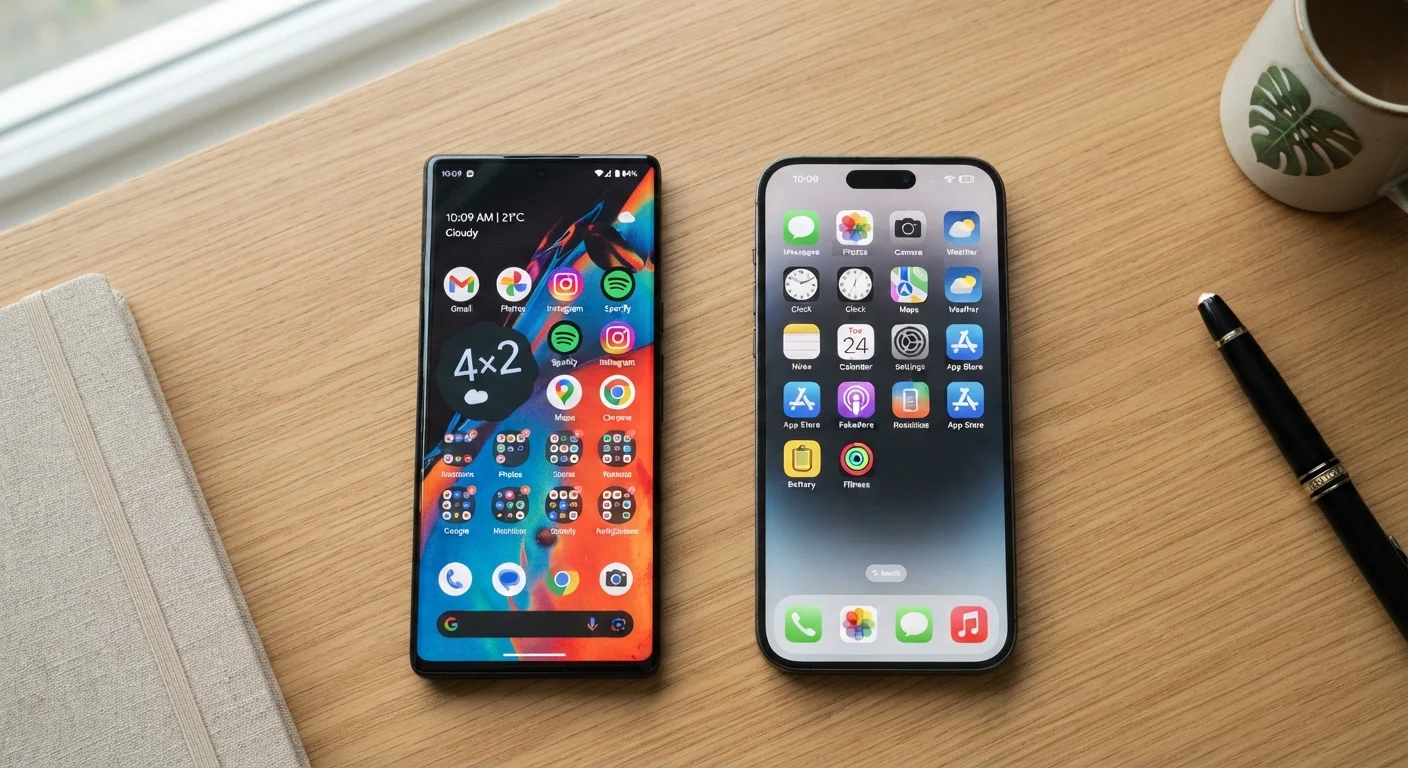
Key Takeaways
- Android runs on phones from many manufacturers; iOS is exclusive to Apple hardware.
- iOS typically delivers faster, more consistent software updates across supported devices.
- Android offers deeper customization of the home screen, default apps, and file access.
- Both platforms have strong privacy tools, but they approach data control differently.
- App availability is broadly similar, though some apps launch first on one platform.
- Switching between platforms involves real tradeoffs in app purchases and ecosystem lock-in.
Option A
Android
The open, highly customizable platform with broad hardware variety.
Best for: Users who want flexibility in how their phone looks, feels, and integrates with third-party apps and services.
Option B
iOS
The tightly integrated, consistent ecosystem built around Apple hardware.
Best for: Users who prioritize a polished, uniform experience and deep integration with other Apple devices.
If you want full control over how your phone looks and works
Android
Android allows you to change default apps, customize home screen layouts, and access the file system directly — options iOS does not offer at the same depth.
If you already own other Apple devices like a Mac or iPad
iOS
iOS integrates seamlessly with macOS and other Apple products through features like AirDrop, Handoff, and iMessage, creating a smooth cross-device experience.
If long-term software support and predictable updates matter most
iOS
Apple supports iPhones with major iOS updates for roughly five to six years; Android update timelines vary significantly depending on the device manufacturer.
If you want the widest range of hardware options and price points
Android
Android runs on devices from dozens of manufacturers across a wide spectrum of sizes, features, and price ranges, giving you far more hardware choice.
If you're a first-time smartphone buyer wanting a simple setup
iOS
iOS has a consistent interface that changes little between models, making it easier to learn and navigate for those new to smartphones.
How Each Platform Is Built — and Why It Matters
Android is an open-source operating system developed by Google and used by many different device manufacturers — Samsung, Google itself, Motorola, OnePlus, and others. This openness means Android looks and behaves somewhat differently depending on which phone you buy, because manufacturers often add their own software layer on top of the base system.
iOS, by contrast, is developed exclusively by Apple and runs only on Apple's own iPhones. That closed model means Apple controls both the hardware and the software, which produces a more consistent experience but fewer choices about which device you use.
For everyday users, the practical difference is straightforward: Android gives you more variety in what you can buy and how you set things up, while iOS gives you a more predictable, uniform experience regardless of which iPhone model you choose. If you're still learning the basics of what phone specs actually mean, our smartphone specs guide can help you decode the numbers before you decide.
| Criterion | Android | iOS |
|---|---|---|
| Hardware variety | Many manufacturers, many price points | Apple devices only |
| Home screen customization | Deep — launchers, widgets, layouts | Moderate — widgets, icon packs |
| Default app flexibility | Full — any app can be set as default | Partial — browsers and email supported |
| Software update speed | Varies by manufacturer and carrier | Direct, simultaneous for all users |
| Long-term update support | Typically 2–4 years (varies widely) | Typically 5–6 years |
| Privacy controls | Extensive, improving with each version | Extensive, with app tracking prompts |
| File system access | Direct access via USB or file manager | Limited, managed through iTunes/Finder |
| Cross-device integration | Strong with Google services and some Android devices | Seamless with Mac, iPad, Apple Watch |
Customization: What You Can (and Can't) Change
One of the most tangible day-to-day differences between Android and iOS is how much each lets you personalize your experience. Android allows you to set third-party apps as defaults — meaning you can use a different browser, email client, or navigation app and have the phone open links or maps in those apps automatically. You can also change the launcher (the home screen interface), add widgets freely, and access the device's internal file storage directly like a USB drive.
iOS has expanded its customization options in recent years, including home screen widgets, app icon customization, and the ability to set default browsers and email apps. However, many system-level behaviors — how notifications work, how apps share data, what appears on the lock screen — remain more tightly controlled compared to Android.
Neither approach is objectively better. Tighter control tends to produce a more stable and consistent experience; more openness gives power users greater flexibility. The right fit depends on how much you want to tinker versus how much you want things to simply work out of the box.
71%
Global smartphone market share held by Android
According to Statcounter's global platform data, Android consistently holds a commanding share of worldwide smartphone usage.
5–6 years
Typical iOS major update support window
Apple has historically provided major software updates to iPhones for five to six years after a model's release, a benchmark Android manufacturers have generally not matched.
57%
US smartphone market share held by iOS
In the United States, iOS holds a majority share of smartphone usage, making it the dominant platform domestically even though Android leads globally.
Privacy, Security, and Software Updates
Both platforms have made privacy a visible priority, but their approaches differ. Apple's App Tracking Transparency feature requires apps to ask permission before tracking your activity across other apps and websites. iOS also limits how much background data apps can collect compared to default Android settings, though Android has added significant privacy controls in recent versions, including permission dashboards and approximate location sharing.
On security updates, iOS has a clear structural advantage for most users: Apple pushes updates directly to all supported iPhones simultaneously. On Android, updates typically go from Google to the device manufacturer, which then customizes and pushes them to carriers before they reach your phone. This chain can add weeks or months of delay — or mean some devices never receive certain updates at all.
Android Update Timelines Vary Significantly
Not all Android phones receive updates on the same schedule. Flagship devices from major manufacturers tend to receive updates faster and for longer than budget models. When evaluating an Android phone, it's worth checking the manufacturer's stated update policy — some now commit to four or more years of security updates, while others provide far less. This is a meaningful factor in the long-term value of any Android device you're considering.
For readers weighing carrier-purchased phones against unlocked models, update delivery can also vary based on where you bought the device. Our article on unlocked vs. carrier phones breaks down what actually changes.
Apps, Ecosystems, and Switching Costs
The app libraries on both platforms are broadly comparable for most everyday needs — social media, banking, navigation, streaming, and productivity tools are widely available on both. Some apps do launch first on iOS before coming to Android, or vice versa, but for the majority of popular apps, this gap is minimal.
Where things get complicated is ecosystem lock-in. If you've spent years purchasing apps, music, or media through one platform's store, or if you rely on platform-specific services (iMessage and FaceTime on iOS, or Google's suite of productivity apps deeply embedded in Android), switching platforms has real friction. Your purchased apps generally don't transfer, and some services work differently or not at all on the other side.
If you're starting fresh or shopping for your first phone, that switching cost doesn't apply yet — which is worth keeping in mind. Our guide on what first-time buyers should know walks through these ecosystem considerations in plain terms before you commit.