

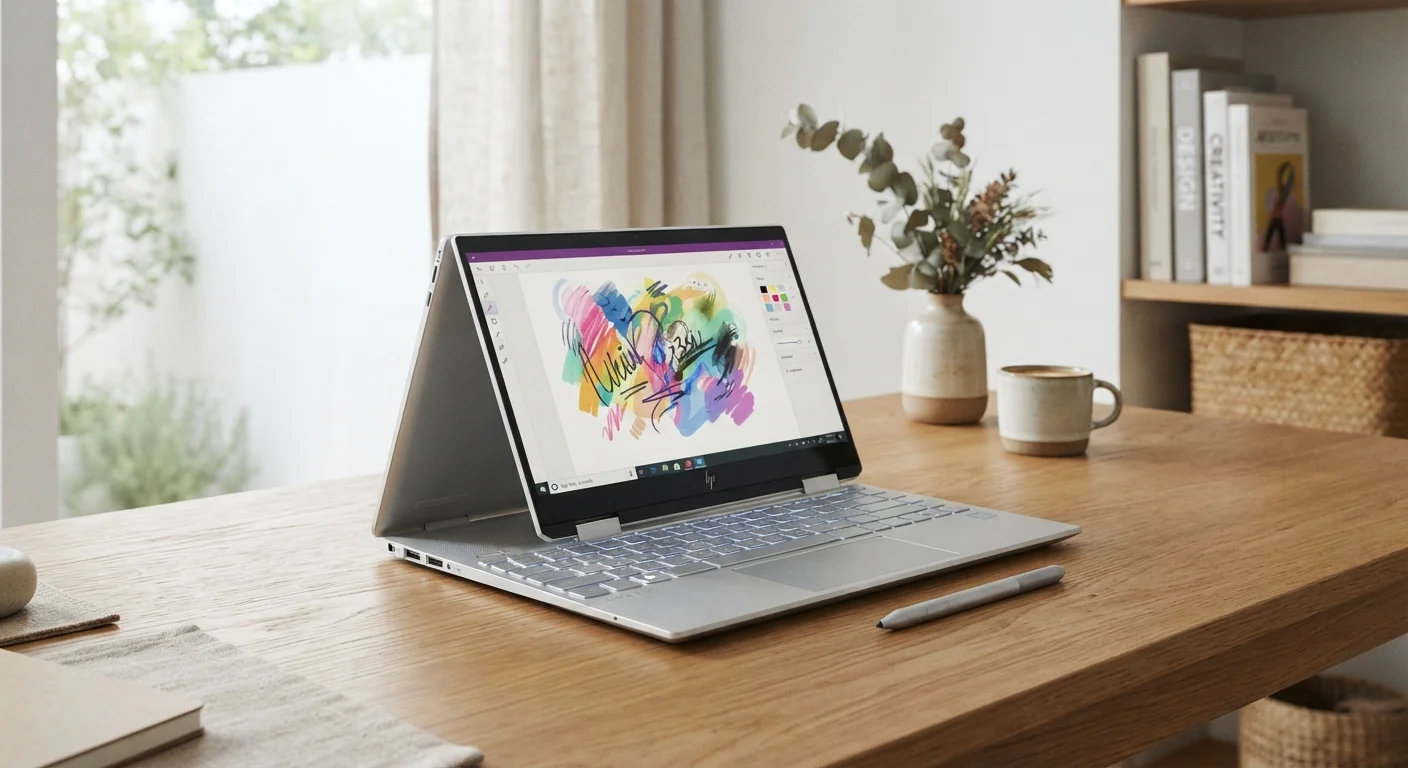
Key Takeaways
- 2-in-1 convertibles offer genuine versatility across four usage modes: laptop, tent, stand, and tablet.
- The hinge mechanism adds weight and thickness compared to similarly priced traditional laptops.
- Touchscreen and stylus support can meaningfully improve certain workflows like note-taking and sketching.
- Performance-per-dollar often favors traditional laptops at equivalent price points.
- Convertibles make the most sense for users who genuinely split time between touch and keyboard tasks.
Four usage modes in a single device
Laptop, tent, stand, and tablet configurations mean one device can adapt to different environments — a desk, a couch, a classroom, or an airplane seat.
Native touchscreen interaction
Scrolling, tapping, and pinch-to-zoom feel intuitive on a touchscreen and can speed up tasks like browsing, reviewing documents, or navigating apps.
Stylus support enables handwritten input
Many convertibles are compatible with active styluses, opening up handwritten note-taking, PDF annotation, and basic digital sketching that standard laptops cannot do.
Useful alternative viewing angles
Tent and stand modes prop the screen at angles that are practical for video calls, presentations, or media consumption without a separate stand or dock.
Single-device portability
Carrying one convertible instead of a laptop and a separate tablet reduces bag weight and simplifies cable and charger management on the go.
Heavier than comparable traditional laptops
The 360-degree hinge mechanism adds structural components and weight, meaning a convertible often weighs noticeably more than a non-touch laptop at the same screen size and price tier.
Lower performance per dollar at equivalent price points
Engineering cost goes toward the hinge, touchscreen, and chassis reinforcement, which can mean a convertible offers less processing power or battery capacity than a traditional laptop at the same price.
Awkward tablet experience due to attached keyboard
In flip tablet mode, the keyboard folds against the back of the device, making the form factor thicker and less comfortable to hold than a dedicated tablet or detachable.
Hinge durability is a long-term concern
A 360-degree hinge endures significantly more mechanical stress than a standard laptop hinge, and wear over years of heavy use can affect stability and screen positioning.
Stylus and touch features often add cost
Active styluses frequently cost extra and are not always included in the box, and premium touchscreen panels raise the base price compared to matte non-touch displays.
Fan and thermal design can be compromised
Slim, hinge-heavy chassis leave less interior room for cooling, which can throttle performance during sustained workloads like video rendering or large spreadsheets.
Our Verdict
2-in-1 convertible laptops deliver real value for users who regularly switch between typing and touch-based tasks — think students, digital note-takers, and light creative workers. However, users who spend most of their time at a desk or need maximum processing power for their budget will likely find a traditional laptop or desktop serves them better. The flexibility premium is worth paying only when the flexibility itself gets used.
Ideal for students, remote workers, and casual creatives who genuinely alternate between keyboard-heavy tasks and touchscreen or stylus use throughout their day.
What a 2-in-1 Convertible Actually Is
A 2-in-1 convertible laptop is a device designed to function as both a traditional clamshell laptop and a tablet — or several configurations in between. Most models use a 360-degree hinge that allows the screen to fold all the way back, creating a tablet mode, or stop at intermediate angles for tent or stand modes useful for media consumption and presentations.
Some convertibles, called detachables, go further by allowing the screen to physically separate from the keyboard base entirely. These are distinct from the more common flip-style convertibles, where the keyboard stays attached throughout every mode.
Understanding which tasks you actually do — and how often — is the starting point for evaluating whether this format fits. For a broader framework on matching hardware to your habits, see our use-case guide for laptop shoppers.
The Real Advantages of Going Convertible
For the right user, a 2-in-1 offers meaningful benefits that a standard laptop simply cannot replicate.
Four usage modes in a single device
Laptop, tent, stand, and tablet configurations mean one device can adapt to different environments — a desk, a couch, a classroom, or an airplane seat.
Native touchscreen interaction
Scrolling, tapping, and pinch-to-zoom feel intuitive on a touchscreen and can speed up tasks like browsing, reviewing documents, or navigating apps.
Stylus support enables handwritten input
Many convertibles are compatible with active styluses, opening up handwritten note-taking, PDF annotation, and basic digital sketching that standard laptops cannot do.
Useful alternative viewing angles
Tent and stand modes prop the screen at angles that are practical for video calls, presentations, or media consumption without a separate stand or dock.
Single-device portability
Carrying one convertible instead of a laptop and a separate tablet reduces bag weight and simplifies cable and charger management on the go.
Touchscreen interaction removes friction in several everyday scenarios: scrolling through documents, annotating PDFs, signing forms, and navigating apps designed for touch input all feel more natural than using a trackpad. Stylus support — available on many convertibles — takes this further, enabling handwritten notes and light illustration work that a traditional laptop cannot accommodate at all.
Tent and stand modes also have practical value. Propping a convertible screen-forward on a desk or airplane tray table provides a cleaner media-viewing angle without needing a separate stand. If you're weighing whether a standalone tablet might serve some of these same needs, our comparison of tablets versus laptops walks through the distinctions.
Where Convertibles Fall Short
The same hinge engineering that enables versatility introduces compromises that are worth understanding before committing.
Heavier than comparable traditional laptops
The 360-degree hinge mechanism adds structural components and weight, meaning a convertible often weighs noticeably more than a non-touch laptop at the same screen size and price tier.
Lower performance per dollar at equivalent price points
Engineering cost goes toward the hinge, touchscreen, and chassis reinforcement, which can mean a convertible offers less processing power or battery capacity than a traditional laptop at the same price.
Awkward tablet experience due to attached keyboard
In flip tablet mode, the keyboard folds against the back of the device, making the form factor thicker and less comfortable to hold than a dedicated tablet or detachable.
Hinge durability is a long-term concern
A 360-degree hinge endures significantly more mechanical stress than a standard laptop hinge, and wear over years of heavy use can affect stability and screen positioning.
Stylus and touch features often add cost
Active styluses frequently cost extra and are not always included in the box, and premium touchscreen panels raise the base price compared to matte non-touch displays.
Fan and thermal design can be compromised
Slim, hinge-heavy chassis leave less interior room for cooling, which can throttle performance during sustained workloads like video rendering or large spreadsheets.
Detachable vs. Flip-Style Convertibles
Not all 2-in-1s work the same way. Flip-style convertibles keep the keyboard permanently attached via a 360-degree hinge, while detachables allow the screen to separate entirely. Detachables generally offer a lighter, more tablet-like experience but can feel less stable on a lap when used in laptop mode. Each design involves its own set of trade-offs separate from those discussed here.
One trade-off that surprises some buyers: in tablet mode, the keyboard is still physically present on the back of the device — just folded away. This makes most flip-style convertibles heavier and bulkier as tablets than standalone slates. Users who want a genuinely lightweight tablet experience may be better served by a detachable or a dedicated tablet paired with a separate keyboard case.
It's also worth comparing against the full range of laptop categories. If raw performance and keyboard comfort at a given price point are priorities, a traditional laptop or even a desktop setup may deliver more. Our breakdown of laptops versus desktops can help calibrate those expectations.
Who Should — and Shouldn't — Consider a Convertible
The convertible form factor rewards users who genuinely shift between input modes throughout a typical day. A graduate student who types papers in the morning and annotates research PDFs with a stylus in the afternoon gets real utility from every mode. A teacher presenting slideshows in tent mode, then grading at a desk, has similar use for the format.
Conversely, a user who works exclusively at a desk, runs compute-intensive software, or simply wants the lightest possible laptop for travel will likely pay a premium for features that go unused. Those shoppers may find more value in a conventional laptop — or, depending on their software needs, a Chromebook. Our plain-English breakdown of Chromebooks versus Windows laptops covers that comparison in detail.
4 modes
Configurations offered by most flip convertibles
Standard flip-style 2-in-1s support laptop, tent, stand, and tablet orientations from a single 360-degree hinge design.
~0.3–0.7 lbs
Typical added weight over comparable non-touch laptops
Industry teardowns and manufacturer spec sheets consistently show convertible chassis running heavier than traditional clamshell equivalents at the same screen size.
The flexibility premium is real. Deciding whether it's worth paying comes down to honest self-assessment of how you actually work — not how you imagine you might work once you own the device.