

Key Takeaways
- Phone storage holds your apps, photos, and files permanently — more is harder to max out.
- Most phones come in tiers: 64GB, 128GB, 256GB, 512GB, and 1TB.
- Camera-heavy users and gamers typically need more storage than light users.
- Many Android phones accept microSD cards; most iPhones do not — making the choice at purchase more consequential.
- Cloud storage can extend usable space, but it requires an internet connection and may cost a monthly fee.
- Choosing slightly more storage than you think you need is generally a sound long-term approach.
Phone Storage (Internal Storage)
Phone storage — often called internal storage — is the built-in space on your device where the operating system, apps, photos, videos, music, and files all live. It's measured in gigabytes (GB) or terabytes (TB). Unlike RAM, which handles what your phone is doing right now, storage holds everything permanently until you delete it.
Most modern phones use a flash-memory standard called UFS (Universal Flash Storage), which determines not just capacity but also how quickly data is read and written — affecting app load times and file transfer speeds.
What the Storage Numbers Actually Mean
When a phone lists 128GB or 256GB of storage, that number represents the total capacity of its internal flash memory chip. However, the usable space you actually get is always a bit less — the operating system and pre-installed apps claim a portion right out of the box. On a 128GB phone, you might realistically start with 110–115GB available.
Storage is different from RAM (working memory). RAM determines how many tasks your phone juggles simultaneously; storage is the long-term home for everything on your device. If you want a fuller picture of how these specs interact, our plain-English guide to smartphone specs breaks it all down.
300–400MB
Space used per minute of 4K video
Common across major smartphone camera systems; actual size varies by codec, frame rate, and resolution settings.
~10–15%
Free storage recommended for smooth performance
Device performance can degrade when storage is nearly full, as the system needs space for temporary files and system operations.
2–5GB+
Size of many popular mobile games
Large titles with high-resolution assets can exceed this at install, and some grow further with mandatory updates over time.
How Different Habits Translate to Storage Needs
There's no universal right answer — storage needs vary significantly based on how you use your phone.
- Light users (calls, texting, social media browsing, streaming): 64–128GB is typically sufficient. Most content is streamed rather than saved.
- Moderate users (active camera users, moderate app library, some downloaded music): 128–256GB provides comfortable headroom without constant management.
- Heavy users (4K video recording, large game libraries, offline media, professional photography): 256GB–1TB is worth considering, especially if expandable storage isn't an option on the device.
One often-overlooked factor: phones tend to accumulate data over time. Apps update and grow, photo libraries expand, and cached files pile up. A phone that feels spacious in month one may feel crowded by year two.
Check Your Current Usage Before Upgrading
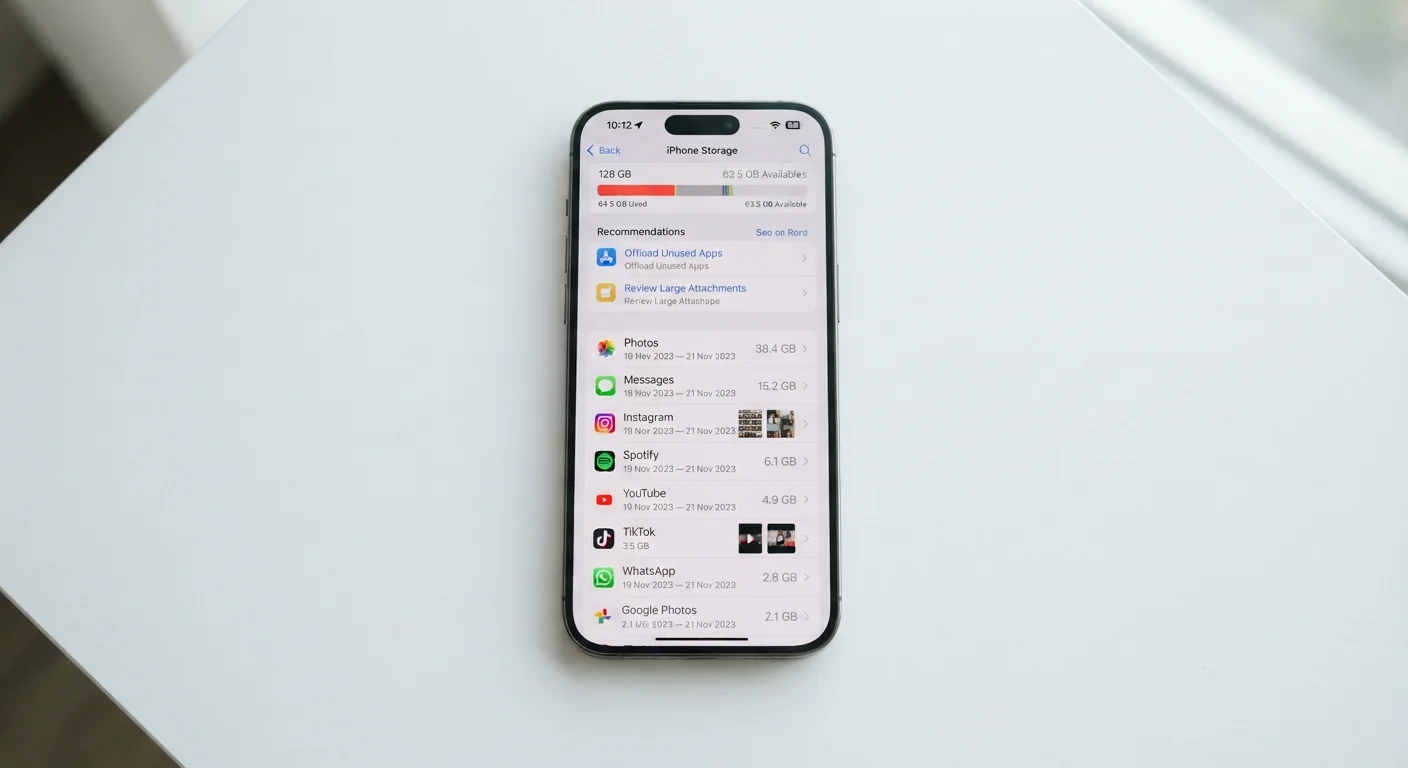
Before choosing a storage tier on a new phone, open your current phone's Settings and look for the Storage section. It will show exactly how much space your apps, photos, and other files actually use today. That number is your baseline — then factor in whether your usage is likely to grow.
Cloud Storage and microSD Cards: Real Supplements, Not Full Solutions
Two options can stretch how far your phone's storage goes — but each comes with meaningful limitations.
Cloud storage services automatically back up photos and files to remote servers, freeing local space. The tradeoff: access depends on an active internet connection, and most services charge a monthly fee beyond a basic free tier. Cloud storage works well as a backup layer; it's less practical for instant, offline access to large files.
MicroSD cards offer a physical way to add gigabytes of extra space at relatively low cost — but only on phones that include a microSD slot. Many modern flagship devices, across both Android and iOS ecosystems, have removed this slot to make room for larger batteries or thinner designs. Before counting on this option, verify whether a specific phone supports it.
If you're planning a device upgrade and want to carry your data over cleanly, moving everything from your old phone to a new one is a process worth understanding before you start.
Making a Decision That Holds Up Over Time
Phone storage is one of the few specs that cannot be upgraded after purchase on most devices. That makes it worth thinking about carefully — not just for how you use your phone today, but for how you're likely to use it over the next two to three years.
A practical approach: estimate your current usage (check your phone's settings under storage to see what's actually consuming space), then consider whether your habits are likely to change. Planning to shoot more video? Getting into mobile gaming? Those shifts matter.
Phones are designed to last. Understanding which factors affect longevity — including storage saturation — is covered in more depth in our guide on smartphone lifespan. And if you're weighing your first smartphone purchase overall, this plain-language overview for first-time buyers walks through every key consideration alongside storage.