

Key Takeaways
- Screen size affects portability and workspace, not image quality on its own.
- Resolution determines sharpness; 1080p suits most users while higher resolutions trade battery life for detail.
- IPS panels offer the best balance of color accuracy and price for everyday use.
- OLED screens deliver deeper blacks and richer color but may cost more and raise burn-in concerns.
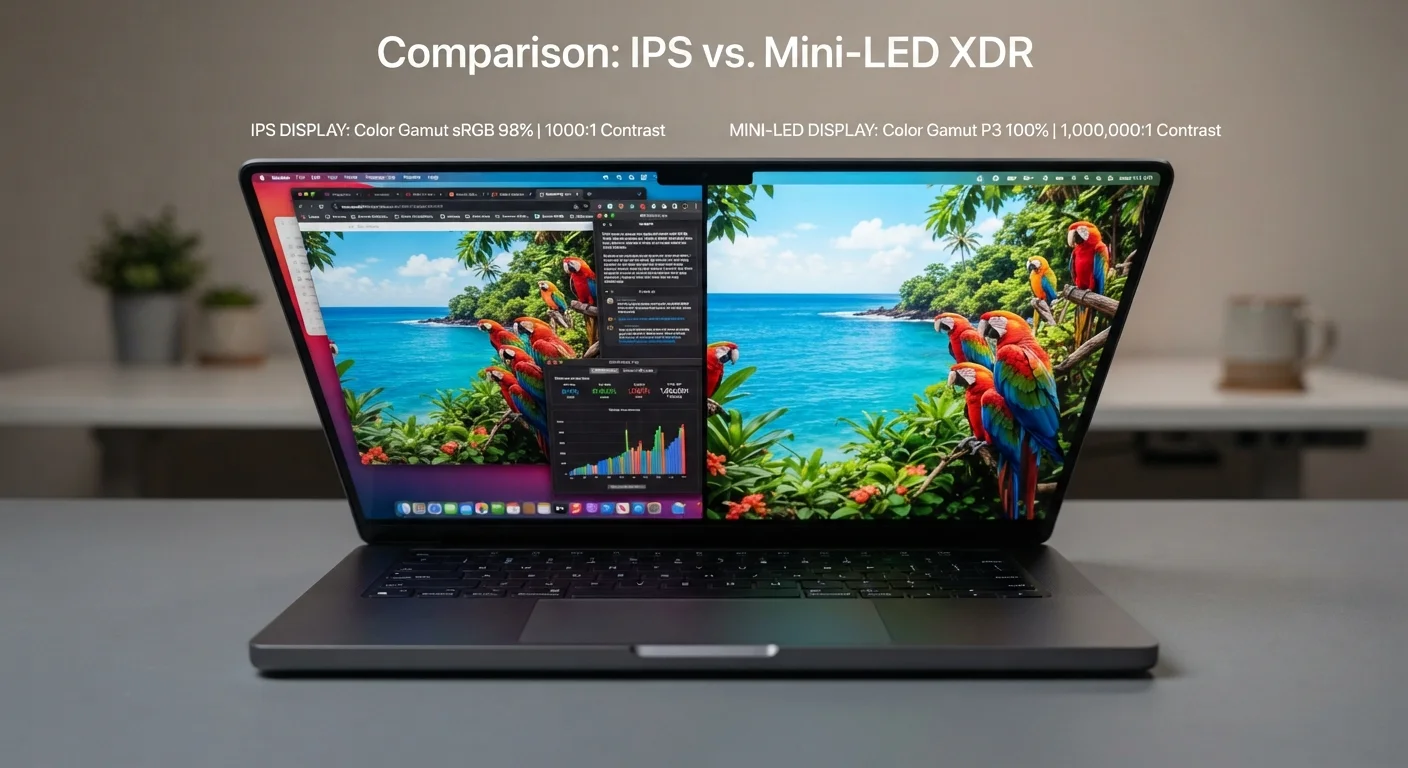
- Panel type matters more than resolution for color-sensitive work like photo or video editing.
- Matching display specs to your specific use case avoids paying for features you won't notice.
Laptop Display Specifications
Laptop display specifications describe the physical and technical properties of a screen — including its size, resolution, and panel technology. These numbers and labels determine how sharp, colorful, and comfortable an image looks in everyday use. Understanding them helps you match a screen to the tasks you actually perform.
Resolution refers to the total pixel count (e.g., 1920×1080), while panel type (IPS, OLED, TN) describes the underlying LCD or emissive technology that governs color accuracy, contrast, and viewing angles.
Screen Size: Portability vs. Workspace
Laptop screen size is measured diagonally in inches, typically ranging from around 11 inches to 17 inches in consumer models. This number describes the physical footprint of the display — it says nothing about image quality. A 13-inch screen and a 15-inch screen with identical specs will display the same sharpness and color; the larger one simply gives you more real estate for open windows and apps.
Smaller screens (11–13 inches) prioritize portability. They're lighter, easier to carry in a bag, and better suited for users who move frequently — commuters, students, and travelers. Larger screens (15–17 inches) sacrifice some portability in exchange for a more comfortable workspace. If you regularly work in one location, a larger display reduces the need for an external monitor. The 14-inch class has become a popular middle ground, offering reasonable screen space without significant bulk.
For a broader look at whether a laptop even fits your routine, see Tablet or Laptop: Which One Actually Fits Your Daily Life?.
Resolution: How Sharp Is the Picture?
Resolution describes how many pixels fit on the display, expressed as width × height (e.g., 1920×1080). More pixels mean finer detail — but the benefit depends heavily on screen size and viewing distance.
- 1080p (Full HD / 1920×1080): The standard for most laptops. Delivers sharp text and clear video on screens up to about 15 inches. A practical choice that conserves battery life.
- 1440p (QHD / 2560×1440): A step up that's noticeable on larger screens or when you sit close. Increasingly common in mid-range and higher-end models.
- 4K (UHD / 3840×2160): Pronounced sharpness improvement for creative professionals editing high-resolution photos or video. On a 13–15 inch screen at a normal distance, most users cannot distinguish it from 1440p with the naked eye. Higher resolution also draws more GPU power, reducing battery runtime.
~72%
Laptop displays shipped with 1080p resolution
Industry display shipment analyses consistently show Full HD remains the dominant resolution tier in consumer laptops sold globally.
~300 PPI
Pixel density where sharpness gains diminish
Display researchers generally place the threshold of perceivable sharpness at typical viewing distances around 250–300 pixels per inch for most users.
1,000,000:1
Typical OLED contrast ratio
OLED panels achieve contrast ratios many times higher than LCD-based panels because pixels can turn off completely, producing true black levels.
Resolution is just one display variable. To understand how it fits alongside RAM and processor choices, RAM, Storage, and Processors: What Those Laptop Specs Actually Mean puts the full spec sheet in context.
Panel Type: The Technology Behind the Image
Panel type is arguably the most underappreciated display spec. Two laptops can share the same size and resolution yet look dramatically different because of how their screens produce light and color.
IPS (In-Plane Switching)
IPS is the most common panel technology in modern laptops. It produces accurate, consistent color across wide viewing angles — meaning the image doesn't shift in hue when you tilt the screen or view it from the side. IPS strikes a strong balance between price, color quality, and longevity, making it a reliable choice for everyday tasks, content consumption, and general creative work.
OLED (Organic Light-Emitting Diode)
OLED screens generate light at the individual pixel level rather than relying on a backlight. This allows each pixel to turn off completely, producing true blacks and extremely high contrast ratios. Colors appear vivid and punchy. The trade-offs include a higher price point, the theoretical possibility of burn-in after prolonged static image display, and variable power consumption depending on screen content.
TN (Twisted Nematic)
TN panels are older technology, now rare in mainstream laptops. They offer fast pixel response times favored in some gaming contexts but suffer from narrow viewing angles and inferior color reproduction compared to IPS and OLED.
Check Color Gamut Coverage, Not Just Resolution
When evaluating displays for photo editing or design work, look for sRGB coverage above 95% or DCI-P3 coverage above 80%. These figures, sometimes listed in the spec sheet, tell you how accurately the screen reproduces the full range of colors you're working with — a detail resolution percentages don't capture.
Curious how these panel concepts translate to television displays? TV Resolution, Refresh Rate, and Panel Type: A Plain-English Reference covers the same technology in a home-screen context.
Matching Display Specs to What You Actually Do
No display configuration is universally superior — the right choice depends on how you use your laptop day to day.
If you frequently use color-sensitive applications, verify that a display covers a broad color gamut (often listed as sRGB or DCI-P3 coverage percentage). A high-resolution IPS or OLED panel with wide color gamut coverage matters more for creative work than raw resolution alone.
For a detailed look at how display specs tie into your broader workflow, Matching a Laptop to What You Actually Do: A Use-Case Guide walks through common use cases in depth. And if you're just getting started with laptop shopping, The First-Time Laptop Buyer's Complete Walkthrough covers all the foundational decisions in one place.