
Price Tracking Tools Explained: What They Monitor, How They Alert You, and What They Miss

Key Takeaways
- Price trackers log historical price data so you can judge whether a sale is genuine.
- Alerts are typically sent by email or browser notification when a price hits your target.
- Most tools cannot see member-only prices, bundled deals, or in-store-only discounts.
- Price history graphs vary by retailer coverage — no single tool tracks every store.
- Pairing a tracker with manual verification gives you a more complete picture before buying.
Price Tracking Tool
A price tracking tool is software — typically a browser extension, app, or website — that monitors the listed price of a specific product over time and notifies you when that price changes. Instead of manually checking a product page every few days, the tool does it automatically and records the history. This lets shoppers see whether a current "sale" price is genuinely lower than normal or just a return to the usual price.
Most tools scrape publicly visible prices at set intervals (commonly every 24 hours), so real-time accuracy is not guaranteed. Membership prices, cart-level discounts, and coupon codes are generally invisible to scrapers.
What Price Tracking Tools Actually Monitor
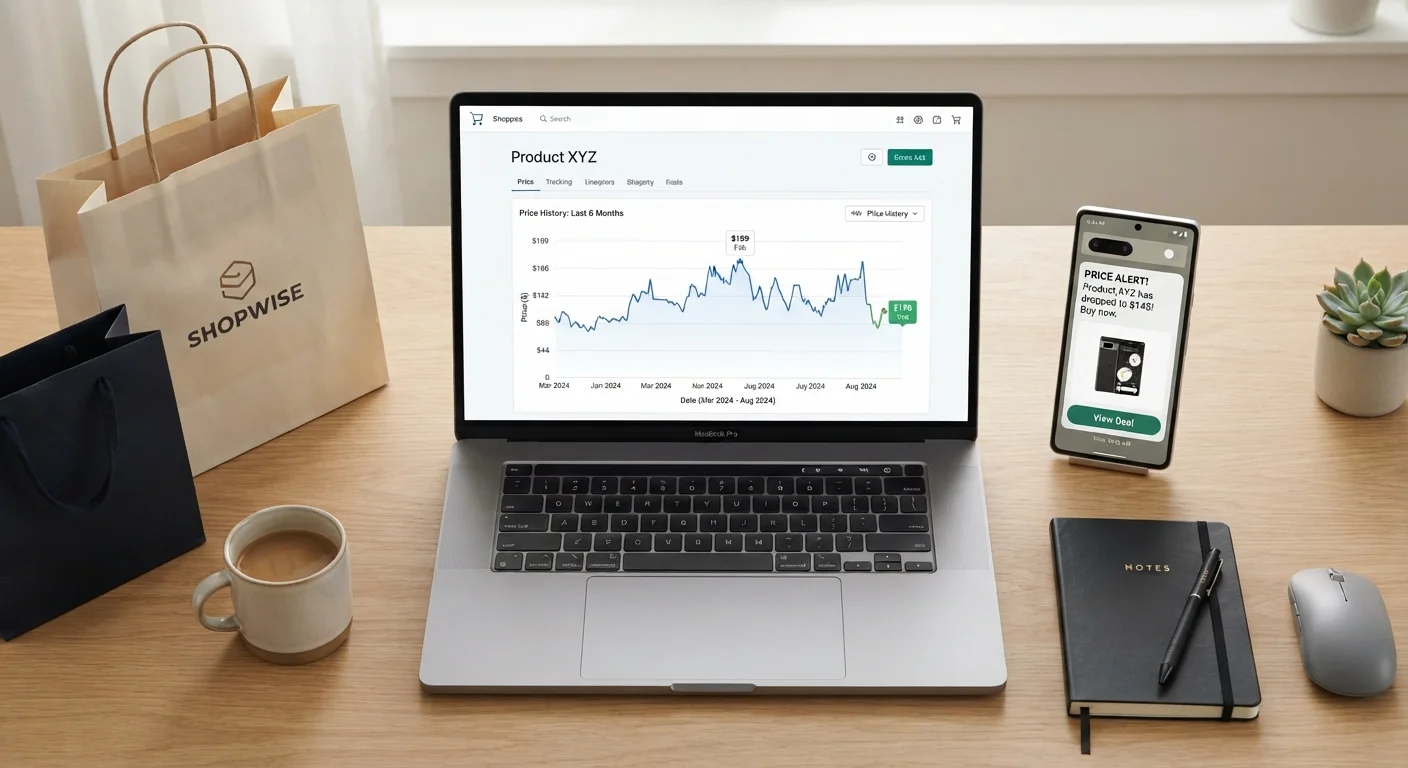
Price tracking tools record the publicly visible list price of a product at regular intervals, building a timeline that shows how that price has moved. When you look at a product's price history graph, you are seeing a log of every data point the tool captured — each one a snapshot of what the retailer's page displayed at that moment.
Most tools focus on a product's base listed price. That means they are recording the number shown on the product page before any coupons, membership discounts, or cart promotions are applied. This is important context: the "historical low" a tracker shows you may not actually be the lowest price a shopper could have paid — it is simply the lowest publicly scraped price.
Coverage also varies. A tool built around one major marketplace will have deep, reliable data for that retailer and thinner or nonexistent data for others. Understanding how price comparison shopping works across multiple channels helps you recognize that no single tracker gives you the full market picture.
~24 hrs
Typical price check interval for most tracking tools
Most commonly used price trackers update their data approximately once per day, meaning short-duration sales can go undetected.
30%+
Shoppers who say they've seen inflated "original" prices
Consumer surveys have found that a significant share of online shoppers have encountered reference prices that appeared artificially high before a advertised discount.
Varies widely
Retailer coverage per tracking tool
No single price tracking tool monitors all retailers; coverage depends on each tool's data partnerships and scraping infrastructure.
How Alert Systems Work — and Where They Fall Short
Once you set a target price on a product, the tool checks the page on its regular schedule and triggers an alert — typically via email or browser notification — if the price meets or drops below your threshold. The system is passive by design: you configure it once and wait.
The practical limitation is timing. If a retailer runs a flash sale for six hours and the tracker checks prices every 24 hours, the sale may begin and end between two data checks, leaving no trace in the history and no alert in your inbox. This is not a flaw in the tool's logic — it is simply a constraint of how scraping intervals work.
Alert quality also depends on how precisely you set your target. A target set too close to the current price generates frequent noise; one set too far below may never trigger. Most experienced shoppers recommend setting targets based on the historical average rather than the all-time low, since all-time lows are rare events. Verifying whether a price has actually dropped after receiving an alert is always a worthwhile step before completing a purchase.
Set Your Target at the Historical Average, Not the All-Time Low
All-time low prices are rare and may reflect a one-off clearance event unlikely to repeat. Setting your alert target near the product's historical average price gives you a realistic threshold that is more likely to trigger — and still represents genuine value compared to what the retailer usually charges.
The Blind Spots Every Shopper Should Know
Price tracking tools are genuinely useful, but they have consistent gaps that can mislead shoppers who rely on them without skepticism.
- Member and loyalty pricing: Prices exclusive to subscription members or loyalty program participants are not visible to public scrapers and will not appear in any tracked history.
- Coupon and promo code discounts: A retailer may offer a 20% coupon that brings an item well below the tracked "historical low" — but the tracker has no way to know the coupon exists.
- In-store-only prices: Some retailers price items differently in physical locations. Trackers only see what is online.
- Bundled deals: When a product is cheaper as part of a bundle, the individual item's price may not reflect that value.
- Dynamic or personalized pricing: Some retailers serve different prices to different users based on location, browsing history, or device. A tracker captures one version of the page.
Pairing a price tracker with the practices outlined in a pre-purchase price comparison checklist helps close these gaps before you commit to a purchase.
Price History Graphs Are Not Guaranteed to Be Complete
A tracker can only record prices it has actually observed during its check intervals. Gaps in the graph may represent periods when the product was out of stock, when the tool's scraper encountered errors, or when a sale occurred between two check cycles. Treat the graph as a useful reference, not a definitive record of every price the retailer has ever listed.
Using Price Trackers as One Tool Among Several
The most effective approach treats price trackers as a starting point, not a final answer. A price history graph tells you what a retailer has charged in the past — it does not tell you whether a competitor is currently cheaper, whether a coupon applies, or whether the product is available at lower cost in a different format.
Price comparison tools more broadly share similar strengths and limitations: they automate the tedious work of monitoring, but they cannot replicate the judgment a shopper applies when reviewing total cost, return policies, and seller reputation.
Building consistent price comparison habits around tools — rather than delegating decisions entirely to them — is what separates shoppers who reliably find good value from those who occasionally get lucky. Set your targets thoughtfully, verify alerts before acting, and always check the full checkout cost, not just the item price.
“Automation handles the tedious monitoring work, but the judgment call — is this actually worth buying at this price? — still belongs to the shopper.”
— Consumer Research Perspective, General principle widely cited in consumer decision-making literature