
Price Comparison Tools: What They Track, What They Miss, and How to Use Them Well

Key Takeaways
- Price comparison tools surface useful data but rarely show the complete cost picture including shipping and taxes.
- Browser extensions and comparison engines differ significantly in how they collect and update pricing data.
- Seller reputation, return policies, and item condition are factors most tools do not account for.
- Combining tool-generated data with manual verification leads to more reliable purchase decisions.
- Understanding what a tool tracks—and what it ignores—prevents costly over-reliance.
Quickly surfaces prices across multiple retailers at once
Instead of opening a dozen browser tabs, comparison tools consolidate pricing data in seconds, saving meaningful time during the research phase of a purchase.
Historical price data helps contextualize current pricing
Some tools display price history charts, making it easier to judge whether a current price reflects a genuine discount or simply matches the item's typical market rate.
Reduces the risk of obvious overpayment
Even imperfect tools catch cases where one retailer charges significantly more than others for the same item, providing a useful sanity check before checkout.
Lowers the effort barrier for comparison shopping
Browser extensions that activate automatically lower the friction of comparison, making it more likely that shoppers will check alternatives even for unplanned purchases.
Shipping costs and taxes rarely included in comparisons
A lower listed price can easily become a higher total once shipping fees and applicable sales tax are factored in—costs most tools don't surface automatically.
Data can lag behind real-time price changes
Retailer databases aren't always updated in real time, meaning a price shown in a tool may no longer be accurate by the time you click through to the product page.
Seller quality and policy differences are invisible
Tools typically treat all listings as equivalent, ignoring meaningful differences in seller reputation, return windows, warranty terms, and item condition.
In-store pricing and location-based deals are excluded
Many retailers offer different prices in physical stores or vary pricing by region—information that online comparison tools almost never capture.
Coverage is limited to participating or indexed retailers
Not every seller appears in every tool's database, so the cheapest option for a given item might not show up at all in the comparison results.
Our Verdict
Price comparison tools are genuinely useful for getting a quick read on where a price sits relative to other retailers, but they work best as a starting point rather than a final word. Their coverage gaps, data freshness issues, and inability to factor in total cost mean a few minutes of manual follow-up almost always pays off.
Shoppers who treat these tools as one input in a broader decision process—rather than an automatic green light—will get the most reliable value from them.
What Price Comparison Tools Actually Track
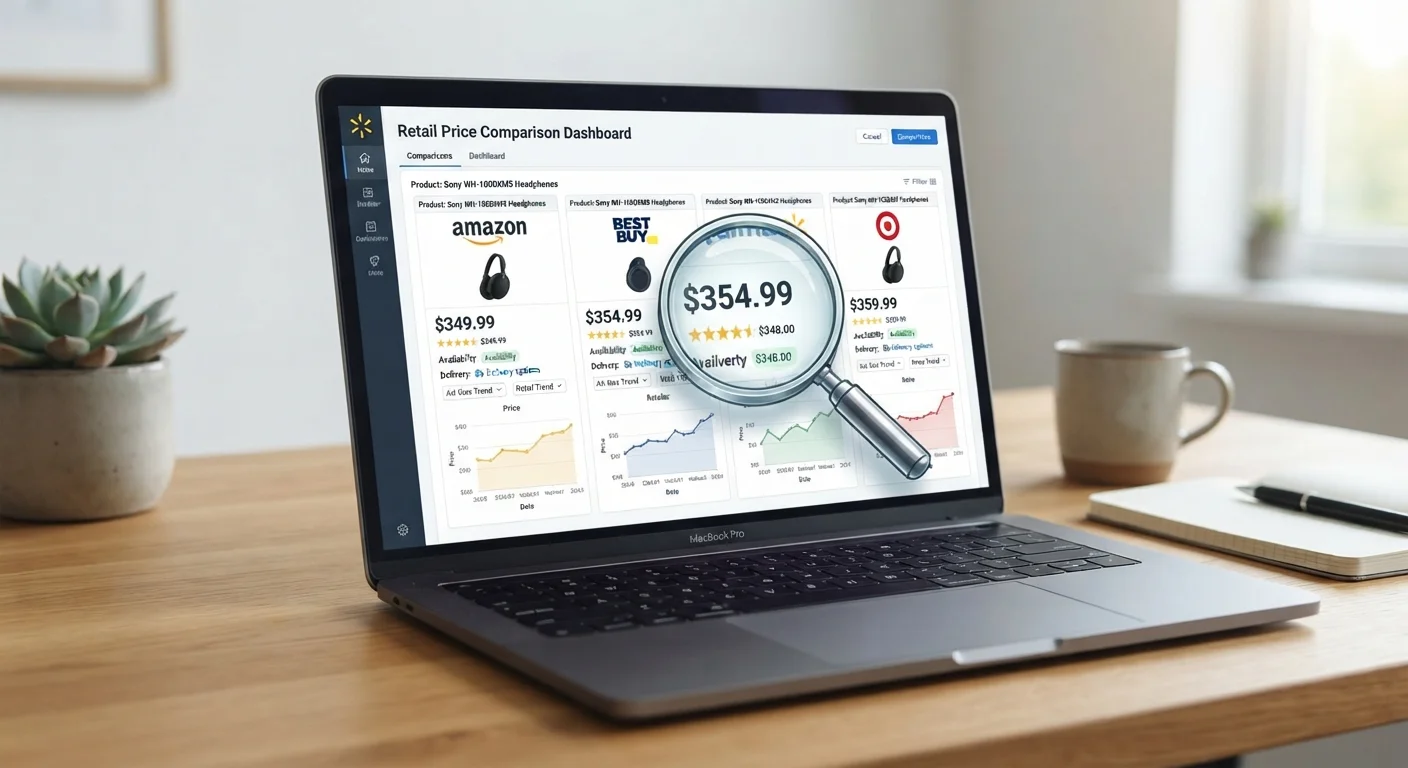
Price comparison tools—whether standalone engines or browser extensions—generally work by scraping or receiving data feeds from participating retailers. They surface the listed price of a specific item across multiple sellers, often alongside availability status and sometimes historical pricing trends.
Browser extensions typically activate at the point of purchase, detecting the product you're viewing and pulling prices from a database of partner or crawled retailers. Comparison engines, by contrast, require you to search directly on the platform, then aggregate results from their indexed sources.
What they track reliably: listed item price, retailer name, and in some cases price history over time. The latter is particularly useful for spotting whether a so-called sale price is genuinely lower than the historical norm. For a broader look at how these tools fit into the deal-hunting landscape, see our guide to deal-hunting tools.
Comparison Engines vs. Browser Extensions
These two tool types operate differently and have different coverage strengths. Comparison engines (sites you visit directly) tend to index a broader range of retailers but require active searching. Browser extensions activate passively during your normal shopping but typically pull from a narrower set of partners. Using both in combination gives a more complete picture than relying on either alone.
What Most Tools Miss
The gaps are where shoppers get tripped up. Listed price and total cost are rarely the same thing. Most comparison tools do not automatically add shipping fees, applicable sales tax, or membership-required pricing adjustments—meaning a lower listed price can easily become a higher final charge at checkout.
Quickly surfaces prices across multiple retailers at once
Instead of opening a dozen browser tabs, comparison tools consolidate pricing data in seconds, saving meaningful time during the research phase of a purchase.
Historical price data helps contextualize current pricing
Some tools display price history charts, making it easier to judge whether a current price reflects a genuine discount or simply matches the item's typical market rate.
Reduces the risk of obvious overpayment
Even imperfect tools catch cases where one retailer charges significantly more than others for the same item, providing a useful sanity check before checkout.
Lowers the effort barrier for comparison shopping
Browser extensions that activate automatically lower the friction of comparison, making it more likely that shoppers will check alternatives even for unplanned purchases.
Shipping costs and taxes rarely included in comparisons
A lower listed price can easily become a higher total once shipping fees and applicable sales tax are factored in—costs most tools don't surface automatically.
Data can lag behind real-time price changes
Retailer databases aren't always updated in real time, meaning a price shown in a tool may no longer be accurate by the time you click through to the product page.
Seller quality and policy differences are invisible
Tools typically treat all listings as equivalent, ignoring meaningful differences in seller reputation, return windows, warranty terms, and item condition.
In-store pricing and location-based deals are excluded
Many retailers offer different prices in physical stores or vary pricing by region—information that online comparison tools almost never capture.
Coverage is limited to participating or indexed retailers
Not every seller appears in every tool's database, so the cheapest option for a given item might not show up at all in the comparison results.
Seller quality is another blind spot. A marketplace listing might appear identical to one from a major retailer, yet differ substantially in seller reliability, return policy, and whether the item is new, refurbished, or a gray-market import. Most tools treat these listings as equivalent.
Data freshness is also an ongoing issue. Prices update constantly, and a tool's database may lag by hours or even days. Flash sales, in-store-only pricing, and location-specific discounts almost never appear. For a deeper look at how tracking tools handle—and miss—price changes, see this explainer on price tracking tools.
How to Use These Tools Effectively
The most reliable approach is to treat comparison tool output as a first draft, not a verdict. Use the data to narrow your options, then verify manually before committing.
96%
U.S. consumers who compare prices before purchasing
According to a National Retail Federation consumer survey, the vast majority of shoppers engage in some form of price research before committing to a purchase.
~30%
Price variation for identical items across retailers
Consumer research has found that the same product can vary by roughly 30% or more in listed price depending on the retailer, underscoring the practical value of comparison.
A practical workflow: run the comparison, note the top two or three results, then open each retailer's product page directly to confirm the current price, shipping cost, seller rating, and return window. Cross-reference with the pre-purchase price comparison checklist to make sure you're accounting for total cost, not just sticker price.
For shoppers building long-term habits, these consistent comparison practices explain how to make verification feel automatic rather than effortful. And if you're newer to the process overall, the beginner's primer on price comparison covers the foundational concepts worth understanding first.
The tools work best when you know what question you're actually asking them. Use them to check whether a price is competitive—not to decide whether a purchase is sound.