

Key Takeaways
- Wi-Fi 6E adds a 6 GHz band on top of the 2.4 GHz and 5 GHz bands already used by Wi-Fi 6.
- The 6 GHz band is currently far less congested, which reduces interference in dense living environments.
- Only devices explicitly labeled Wi-Fi 6E can access the new 6 GHz band — older hardware falls back to 5 GHz or 2.4 GHz.
- Wi-Fi 6E routers typically cost more and the advantage shrinks significantly in smaller or less crowded homes.
- Wi-Fi 6 remains a strong standard and is widely supported across laptops, phones, and smart home devices.
Option A
Wi-Fi 6 (802.11ax)
The mature, widely compatible wireless standard.
Best for: Households with a mix of older and newer devices that need reliable, fast Wi-Fi without premium hardware costs.
Option B
Wi-Fi 6E
The extended standard with an exclusive 6 GHz lane.
Best for: Power users and tech-forward households with compatible devices who want maximum throughput and minimum interference.
If most of your devices are a few years old
Wi-Fi 6 (802.11ax)
Older phones, laptops, and smart home devices can't use the 6 GHz band anyway, so the added cost of Wi-Fi 6E delivers no practical benefit for your current setup.
If you live in a dense apartment building with heavy Wi-Fi congestion
Wi-Fi 6E
The 6 GHz band is largely interference-free in most areas, which can meaningfully improve stability and speed when the 5 GHz band is crowded with neighboring networks.
If you want a future-ready router without replacing it soon
Wi-Fi 6E
As 6E-compatible devices become more common, a Wi-Fi 6E router will be able to serve them at full capability without another hardware upgrade.
If you're setting up a small home or single-room space
Wi-Fi 6 (802.11ax)
In a low-interference environment with few competing networks, the congestion-reduction benefits of 6 GHz are minimal and the price premium is harder to justify.
The Core Difference: A Third Radio Band
Wi-Fi 6 and Wi-Fi 6E share the same underlying technology — both use the 802.11ax standard, which brought improvements like better multi-device handling, more efficient data encoding (called OFDMA), and improved performance in congested environments. The difference is literally one letter: the "E" stands for "Extended," referring to access to the 6 GHz frequency band.
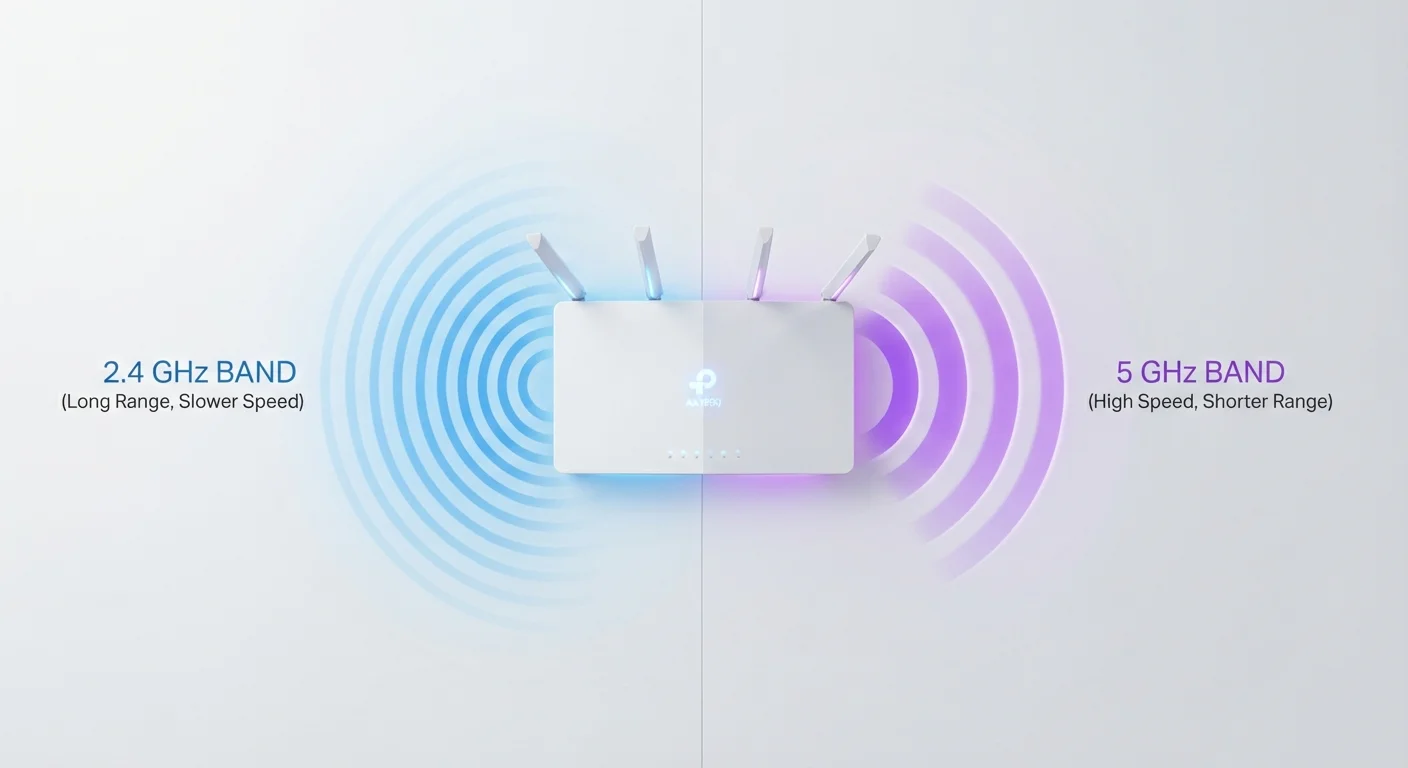
Traditional Wi-Fi operates on two bands — 2.4 GHz (longer range, lower speed) and 5 GHz (shorter range, higher speed). Wi-Fi 6E adds a third lane: 6 GHz. This band offers significantly more spectrum — up to 1,200 MHz of additional bandwidth in the US, compared to 70 MHz on 2.4 GHz and 500 MHz on 5 GHz. More spectrum means more room for fast, high-bandwidth connections to coexist without stepping on each other.
Think of it as adding a new highway rather than widening an existing one. The 6 GHz band is also newer and far less occupied by neighboring networks and legacy devices, which reduces the background radio interference that slows connections down.
| Criterion | Wi-Fi 6 | Wi-Fi 6E |
|---|---|---|
| Frequency bands | 2.4 GHz and 5 GHz | 2.4 GHz, 5 GHz, and 6 GHz |
| Available spectrum (US) | ~570 MHz total | ~1,770 MHz total |
| Congestion resistance | Moderate — shared with older devices | High on 6 GHz — far fewer competing networks |
| Range on highest band | Moderate (5 GHz) | Shorter (6 GHz penetrates walls less) |
| Device compatibility | Broad — most modern devices | Narrower — requires 6E-capable hardware |
| Router cost (general) | Lower to mid-range | Mid-range to premium |
| Future-proofing | Good for several years | Stronger long-term device readiness |
What the 6 GHz Band Actually Does at Home
The practical impact of that extra band depends heavily on your environment. In a standalone house with few neighboring networks, your 5 GHz band may already be relatively clean, and 6 GHz adds limited perceptible benefit. But in a high-rise apartment building or dense suburban neighborhood — where dozens of routers compete for the same spectrum — 6 GHz can deliver noticeably more stable connections and lower latency.
There's a catch: only devices that include a 6 GHz radio can connect to that band. A Wi-Fi 6E router is fully backward compatible — your existing phones, laptops, and smart speakers will still connect normally via 5 GHz or 2.4 GHz. But they won't touch the 6 GHz band at all. To take advantage of it, you need devices explicitly marketed as Wi-Fi 6E compatible, such as newer flagship smartphones and some recent laptops.
1,200 MHz
Additional spectrum unlocked by 6 GHz in the US
The FCC opened 1,200 MHz of unlicensed spectrum in the 6 GHz band for Wi-Fi use in 2020, roughly doubling available Wi-Fi spectrum.
160 MHz
Maximum channel width on 6 GHz
Wi-Fi 6E can use 160 MHz channels on 6 GHz without conflicting with other networks, enabling higher peak data throughput for compatible devices.
~30 ft
Typical 6 GHz indoor range reduction vs. 5 GHz
Industry testing generally shows 6 GHz signals attenuate faster through walls and over distance compared to 5 GHz, limiting whole-home coverage from a single router.
This device-side requirement is the primary reason many households find little immediate difference after upgrading to a 6E router. The hardware investment pays off more slowly as older devices are replaced with 6E-capable ones over time. If you're curious how wireless technology choices play out more broadly in connected devices, see our guide on how tablets connect via Wi-Fi and cellular.
Range, Speed, and Real-World Trade-offs
Higher frequencies travel shorter distances and penetrate walls less effectively. The 6 GHz band shares this limitation — it has a smaller effective range than 5 GHz and a much smaller range than 2.4 GHz. In a large multi-story home, the 6 GHz signal may not reliably reach rooms far from the router without additional access points.
On peak throughput, Wi-Fi 6E can offer faster theoretical speeds — not because the underlying 802.11ax technology is different, but because 6 GHz allows for wider 160 MHz channels without conflicting with other networks. In practice, most users won't notice a speed difference versus a well-configured Wi-Fi 6 router unless they're transferring large files locally between devices or running latency-sensitive applications that benefit from reduced channel congestion.
Router architecture matters too. Wi-Fi 6E routers are tri-band devices, which adds hardware complexity and cost. If you're weighing whether a single router or a mesh system fits your home better, our breakdown of mesh Wi-Fi versus traditional routers covers coverage, cost, and setup differences in detail.
Wi-Fi 7 Is Already Arriving
Wi-Fi 7 (802.11be) routers and devices have begun reaching the US market. Wi-Fi 7 also uses the 6 GHz band but adds features like Multi-Link Operation (MLO), which bonds multiple bands simultaneously. If you're planning a router purchase you won't revisit for many years, it's worth checking whether Wi-Fi 7 hardware fits your budget, as it represents the next generation beyond 6E.
Who Should Consider Each Standard
Wi-Fi 6 is a mature, well-supported standard with broad device compatibility. For the majority of American households — particularly those not experiencing chronic interference issues and without a fleet of 6E-capable devices — it delivers excellent performance at a lower hardware cost.
Wi-Fi 6E makes the most sense for households in congested areas, early adopters upgrading their entire device ecosystem, or anyone purchasing a router they don't plan to replace for five or more years. It's also worth noting that Wi-Fi 7 is emerging as the next standard, so buyers evaluating a multi-year hardware purchase may want to factor that into their timing decisions.
For context on how complementary wireless technologies like 5G compare in terms of real-world usefulness, our 5G explainer offers a similarly grounded look at when a technology upgrade genuinely matters versus when it's mostly marketing.