

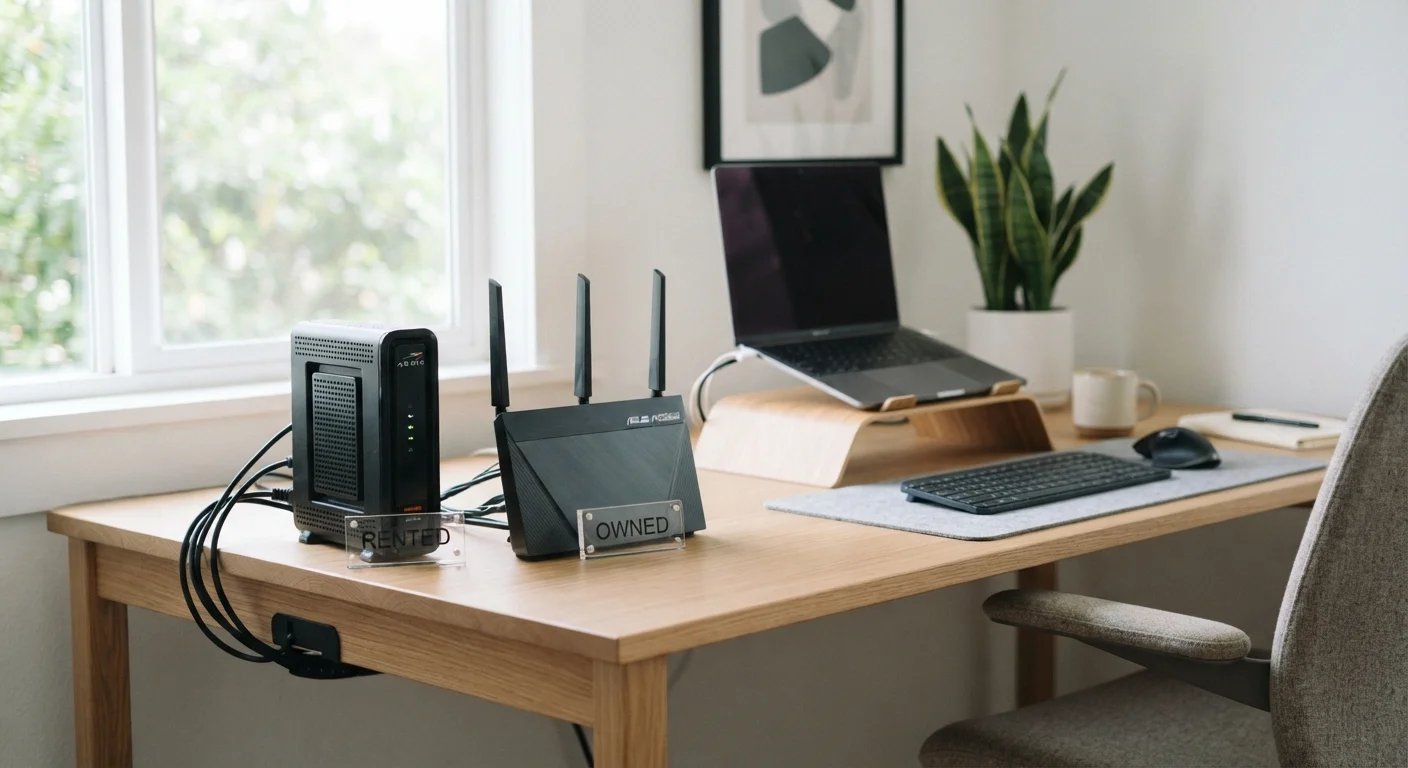
Key Takeaways
- ISP rental fees typically range from $10–$15 per month, adding up to $120–$180 annually per device.
- Owning your equipment requires upfront cost but can pay for itself within one to two years.
- Renters get hands-off troubleshooting support; owners take on full technical responsibility.
- Not all ISPs support all third-party modems — compatibility must be confirmed before purchasing.
- Frequent movers or renters on short-term plans may find leasing more practical overall.
Our Verdict
For most households who plan to stay with the same ISP for two or more years and are comfortable with basic tech troubleshooting, owning equipment is likely the more cost-efficient path. However, renters who prefer zero-maintenance simplicity — or whose ISP uses proprietary hardware — may find the monthly fee a fair trade for convenience and guaranteed compatibility.
| Best for | Recommended |
|---|---|
| Those staying with one ISP for two or more years | Owning your equipment |
| Those who want hands-off support and guaranteed compatibility | Renting from your ISP |
| Frequent movers or short-term subscribers | Renting from your ISP |
| Tech-comfortable households seeking long-term savings | Owning your equipment |
Where the Real Cost Difference Lives
Most households pay their internet provider a monthly equipment fee without closely scrutinizing it. Industry data suggests that modem and router rental fees from major U.S. ISPs typically run between $10 and $15 per device each month. That translates to $120–$180 per year — often more than the retail cost of a capable modem or router purchased outright.
A mid-range DOCSIS 3.1 modem — the current standard for cable internet — can be purchased for roughly $80–$130. A capable standalone router falls in a similar range. If your ISP charges $14/month for a combined modem-router gateway, you'd recoup the cost of owned equivalents in under 18 months. Beyond that point, the savings accumulate.
That math is compelling, but it only tells part of the story. Just as car ownership carries costs beyond the purchase price, owning home networking equipment involves responsibilities that don't show up on a spec sheet.
$120–$180
Typical annual ISP equipment rental cost
Based on common U.S. ISP monthly rental fees of $10–$15 per modem or gateway device.
12–18 months
Average break-even period for owned equipment
Estimated time for a purchased modem/router to pay for itself compared to ongoing rental fees at typical rates.
What Renting Actually Gets You
When you rent equipment from your ISP, you're paying for more than hardware. You're paying for a simplified support experience. If the modem fails, the ISP typically replaces it at no additional charge. If there's a connectivity problem, the technician on the phone can access diagnostic data directly from the device — which often speeds up troubleshooting.
Rented equipment is also guaranteed to work with your specific service tier. Cable providers that use proprietary provisioning systems — such as those delivering voice-over-IP (VoIP) telephone service — sometimes require their own hardware to enable all features. In those cases, using a third-party modem may disable or complicate phone service.
VoIP Phone Service Can Complicate Ownership
If your internet plan is bundled with a home phone service using VoIP, your ISP may require their own gateway hardware to enable all calling features. Switching to a third-party modem in this scenario could disable your phone service or create configuration issues. Always confirm with your ISP before making any hardware change if you have a bundled voice plan.
There's also a convenience factor for people who move frequently. Returning a rented device and picking up a new one at a different location involves no sunk cost and no compatibility research.
What Owning Actually Demands
Purchasing your own modem and router shifts several responsibilities onto you. First is compatibility verification — not every modem works with every ISP or every service tier. Most ISPs publish approved device lists, but those lists can lag behind the latest hardware releases. Confirming compatibility before purchasing is essential, not optional.
Second is firmware and security maintenance. ISP-rented equipment receives automatic firmware updates managed by the provider. Owned equipment may require manual updates, depending on the manufacturer. Outdated router firmware is a known security vulnerability, so this isn't a step to skip.
Third is obsolescence. As internet speeds increase or ISP infrastructure evolves, older modems may be phased out of compatibility. A DOCSIS 3.0 modem, for instance, may not support the multi-gigabit tiers some providers are rolling out. Owned equipment that becomes incompatible must be replaced at your expense.
For households weighing these demands against budget priorities, smart budgeting strategies can help frame the total cost of ownership realistically over a two- to three-year horizon.
Compatibility, ISP Policy, and Hidden Constraints
One underappreciated variable is ISP policy. Some providers — particularly fiber-based services — use equipment so tightly integrated with their network infrastructure that third-party devices are not supported at all. Fiber ONTs (Optical Network Terminals) are typically ISP-supplied regardless of preference. In those cases, the rent-vs.-own debate doesn't apply to the primary connection hardware.
For cable internet subscribers, third-party modem support is more common but not universal. Business-tier accounts may also have different hardware requirements than residential plans.
| Renting from ISP | Owning Your Equipment | |
|---|---|---|
| Upfront cost | None | $80–$250+ depending on devices |
| Ongoing cost | $10–$15/month per device | None after purchase |
| Troubleshooting support | ISP handles replacement and diagnostics | Your responsibility; manufacturer warranty applies |
| Firmware/security updates | Automatic via ISP | Manual or auto-update depending on manufacturer |
| Compatibility guarantee | Guaranteed for your service tier | Must verify against ISP's approved device list |
| Best for fiber internet | Often required (ONT is ISP-supplied) | Rarely supported for primary connection |
| Long-term cost (3 years) | $360–$540+ in fees | Purchase price only, no ongoing fees |
If you're evaluating how your router setup intersects with this decision, it's worth reading about mesh Wi-Fi versus traditional router configurations — because the modem and the router are separate decisions, even when ISPs bundle them as one device.
Making the Call for Your Household
The honest answer is that neither path is universally better. Renting makes practical sense if you're on a short-term service contract, if your ISP requires proprietary hardware, or if you genuinely have no interest in managing network equipment. The monthly fee buys real value in those contexts.
Owning makes financial sense if you plan to stay with the same ISP for two or more years, your provider supports third-party hardware for your service tier, and you're comfortable doing occasional maintenance and troubleshooting. The break-even timeline is often well under two years for most cable subscribers.
This kind of rent-versus-own reasoning applies across many spending categories. Similar logic appears in vehicle leasing versus buying decisions, where upfront cost, usage duration, and maintenance responsibility all factor in. The underlying framework is the same: calculate total cost over your likely ownership period, then weigh it against the intangible value of convenience and support.
Whatever path you choose, knowing exactly what you're paying and what you're getting in return is the foundation of a sound decision. Reviewing your ISP bill line by line — and comparing it against current equipment costs — takes about 20 minutes and can clarify the picture considerably.