
Spreadsheets vs. Budgeting Apps: Choosing the Right Tracking Tool for Your Habits

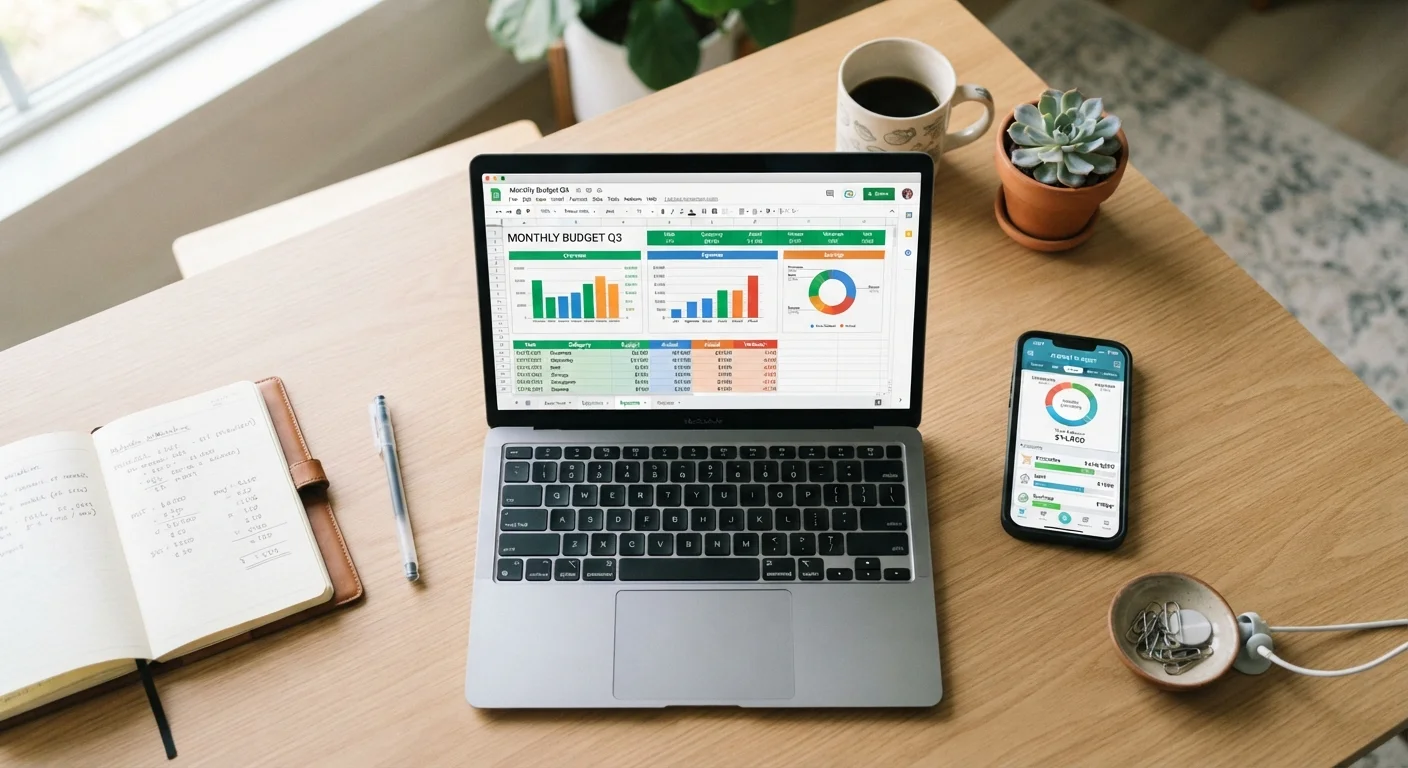
Key Takeaways
- Spreadsheets offer full customization but require consistent manual effort to stay accurate.
- Budgeting apps automate data entry but vary widely in privacy practices and fee structures.
- Your stick-to-it rate matters more than which tool you choose — the best budget is the one you actually use.
- Neither approach is universally superior; your income pattern and tech comfort level should guide the decision.
- Switching tools mid-month can create gaps in your data — plan transitions at the start of a new budget period.
Our Verdict
Spreadsheets and budgeting apps each solve a real problem, but they do it differently. Spreadsheets reward structure-minded people who want to understand every number they enter; apps work better for those who need low-friction automation to stay consistent. Neither guarantees better finances on its own — the tracking method only works when paired with regular review habits.
| Best for | Recommended |
|---|---|
| Those who want complete control and custom categories | Spreadsheets |
| Those who struggle to log transactions manually | Budgeting Apps |
| People with irregular or freelance income streams | Spreadsheets |
| Households looking for a low-setup starting point | Budgeting Apps |
What You're Really Choosing Between
At its core, this decision comes down to two things: how much time you're willing to invest in setup and maintenance, and how much you trust automated systems with your financial data. A spreadsheet — whether built in Google Sheets or Excel — is a blank canvas you control entirely. A budgeting app connects to your accounts, pulls transactions automatically, and categorizes spending on your behalf.
Both approaches can support a solid budget. The CFPB and financial educators consistently point out that the most effective budget is simply the one a person actually maintains. That makes habit fit the decisive factor, not features. If you're still building your first budget framework, this step-by-step guide to building your first monthly budget can help you establish the categories and amounts before you worry about the tool.
The Case for Spreadsheets
Spreadsheets shine when your financial picture doesn't fit neatly into preset categories. Freelancers, gig workers, and households with variable monthly income often find that apps struggle to handle irregular pay cycles or multiple income streams. With a spreadsheet, you define every row and formula yourself — nothing is hidden or auto-categorized in a way you didn't authorize.
Privacy is another meaningful advantage. No third-party server holds your bank credentials or transaction history. You decide what goes in and what stays out. That said, the trade-off is real: every transaction must be entered manually, and skipping even a week can create gaps that distort your monthly picture.
Start Simple, Then Add Complexity
If you're new to spreadsheets, resist the urge to build an elaborate system on day one. Start with five to eight spending categories and a simple monthly total formula. You can always add tabs and formulas once the habit is established. A basic sheet you actually use every week beats a sophisticated one you abandon after two.
Spreadsheets also make it easier to model hypotheticals. Want to see how paying an extra $200 toward a credit card changes your three-month outlook? You can build that scenario in minutes. This flexibility is especially useful when you're working on saving and debt reduction goals that require projecting multiple months ahead.
The Case for Budgeting Apps
The main argument for apps is friction reduction. When an app pulls your transactions automatically, the barrier to staying current drops significantly. For people who know they won't manually log a Tuesday coffee run, automation can mean the difference between a budget that's 95% accurate and one that's abandoned by week two.
Most apps also generate spending summaries and category breakdowns without any formula work. That visibility can surface patterns — like easy-to-miss expense categories such as annual subscriptions or sporadic personal care costs — that spreadsheet users might not catch unless they're diligent about manual entry.
| Spreadsheets | Budgeting Apps | |
|---|---|---|
| Setup time | Higher — build your own structure | Lower — guided onboarding |
| Data entry | Manual — every transaction logged by you | Automated — pulled from linked accounts |
| Customization | Unlimited — any category or formula | Limited to app's preset framework |
| Privacy | High — no external data sharing | Varies — depends on aggregator and policy |
| Cost | Free (Google Sheets) or low cost | Free tiers available; paid plans vary |
| Best income type | Irregular or variable income | Steady, predictable income |
| Learning curve | Moderate — requires formula basics | Low — most apps are beginner-friendly |
The downsides are worth naming plainly. Many apps require account-linking that involves sharing login credentials with an aggregator service. Some charge monthly or annual fees. Free tiers frequently come with limited features or advertising. Before connecting any financial account to an app, review its privacy policy and understand how your data may be used or shared.
Making Your Choice Stick
Whichever tool you choose, the habit of regular review matters more than the tool itself. A spreadsheet ignored for three weeks and an app with uncategorized transactions both produce the same result: an inaccurate picture of your finances. Building a short weekly check-in — even 10 to 15 minutes — dramatically improves the usefulness of either approach.
If you decide to switch tools, time the transition to the start of a new month so you're not splitting your records mid-cycle. And consider doing a monthly budget audit once you've used your chosen tool for 30 days — it's the fastest way to catch categorization errors or missing entries before they compound.
Some people also find it useful to layer approaches: an app for day-to-day transaction tracking, and a spreadsheet for longer-range planning or debt payoff modeling. There's no rule against using both, as long as you're not duplicating effort to the point where the system breaks down. For a broader look at how different budgeting structures interact with your tracking tools, see percentage-based vs. category-cap budgeting.
This article is for general informational and educational purposes only and does not constitute personalized financial advice. Consult a qualified financial professional for guidance specific to your situation.